
Key Takeaways
- Meta tags talk to Google — they control your title and description in search results and tell bots how to crawl your page.
- Schema markup talks to Google’s understanding engine — it explains the meaning of your content and powers rich results like star ratings, FAQs, and product prices.
- Open Graph tags talk to social platforms — they control how your links look when shared on WhatsApp, Facebook, LinkedIn, and X (Twitter).
- All three serve different audiences: Google’s crawler, Google’s understanding layer, and social media bots. You need all three — they do not overlap.
- The fastest way to generate all three correctly is BeTopSEO’s free SEO meta tag and schema generator — no login required.
- In the age of Google AI Overviews and AI tools like ChatGPT, schema markup has become the most powerful of the three for search visibility.
- Missing any one of the three leaves a gap — meta tags without OG tags = broken social shares; schema without meta tags = no proper search snippet; OG tags without schema = no rich results.
If you have spent any time researching SEO, you have probably come across three terms that sound similar, overlap in some ways, and are often confused with each other: meta tags, schema markup, and Open Graph tags.
They all live in the <head> section of your HTML. They are all invisible to your website visitors. And they all affect how your website appears to the outside world. So it is completely understandable why most website owners — and even many marketers — are not sure which one does what, or whether they even need all three.
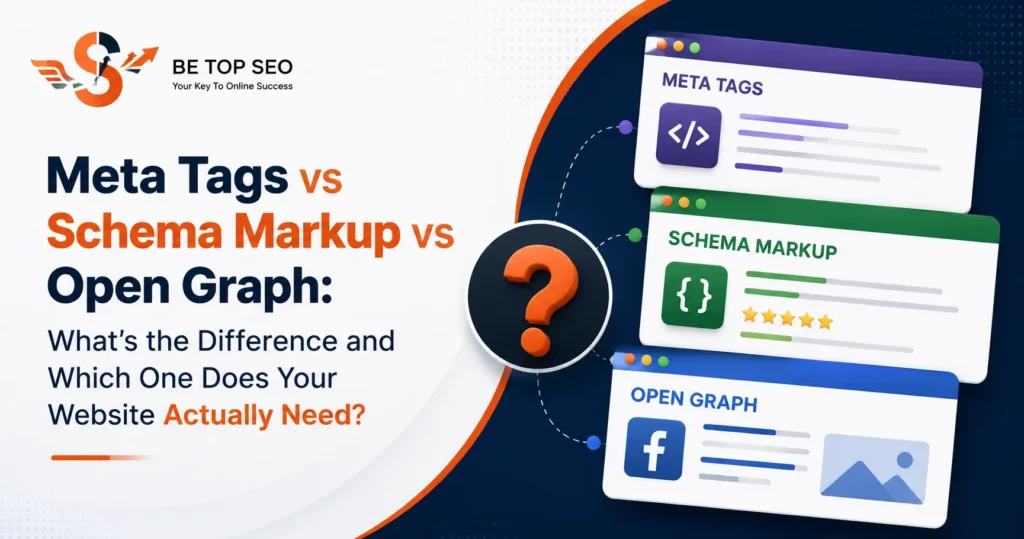
Here is the short answer: yes, you need all three — because each one talks to a completely different audience. Meta tags talk to Google’s crawler. Schema markup talks to Google’s understanding engine. Open Graph tags talk to social media platforms. They are not alternatives to each other — they are three separate layers of your website’s communication with the digital world.
In this guide, we will break down exactly what each one does, how they differ, where they overlap, and — most importantly — a clear action plan for implementing all three correctly. If you work with an SEO company in Hyderabad or manage your own website’s Technical SEO, this is one of the most important fundamentals to get right.
Meta Tags vs Schema Markup vs Open Graph: The Simplest Way to Think About It
Before we go deep, here is the clearest possible one-line definition of each:
Meta Tags
Instructions to Google’s crawler about how to read and display your page in search results.
- Controls your title in Google
- Controls your search description
- Tells bots to index or not index
- Sets your canonical URL
Schema Markup
Structured data that explains the meaning of your content — enabling rich results and AI citations.
- Powers star ratings in Google
- Enables FAQ dropdowns in SERPs
- Feeds Google AI Overviews
- Cited by ChatGPT and Perplexity
Open Graph Tags
Meta tags specifically for social platforms — controlling how your links look when shared.
- Controls WhatsApp link preview
- Controls Facebook share card
- Controls LinkedIn post preview
- Controls X (Twitter) card
What Are Meta Tags? (And Which Ones Actually Matter for SEO)
Meta tags are HTML elements placed in the <head> section of your page that provide information about the page to browsers and search engine bots. The word “meta” simply means “about” — these tags describe the page itself rather than showing content to visitors.
There are dozens of meta tag types, but for on-page SEO, five of them matter most:
1. Meta Title (Title Tag)
Technically not a meta tag but always grouped with them, the title tag is the most important on-page SEO element. It is what appears as the blue clickable headline in Google search results and in your browser tab. Google uses it as a primary signal to understand what your page is about.
<title>Meta Tags vs Schema vs Open Graph: Complete Comparison | BeTopSEO</title>Best practice: Keep it under 60 characters. Include your primary keyword as close to the start as possible. Write it for humans first, search engines second.
2. Meta Description
The short paragraph shown beneath your title in search results. Google does not use this as a ranking factor directly, but it is your advertisement in the search results page — a well-written meta description significantly improves click-through rates, which in turn benefits rankings.
<meta name="description" content="Learn the exact difference between meta tags, schema markup, and Open Graph tags — and why your website needs all three. Free tool included.">Best practice: Keep it under 160 characters. Include the primary keyword. End with a benefit or call-to-action.
3. Meta Robots
Tells Google’s crawler whether to index the page and follow its links. This is a critical technical setting — getting it wrong can accidentally hide your entire website from Google.
<meta name="robots" content="index, follow">Use index, follow for all pages you want Google to rank. Use noindex for thank-you pages, admin pages, and duplicate content pages you do not want appearing in search.
4. Canonical Tag
Tells Google which version of a URL is the “official” one — essential for preventing duplicate content issues on sites with filtering, pagination, or multiple URL variations pointing to the same content.
<link rel="canonical" href="https://betopseo.com/blogs/meta-tags-vs-schema-vs-open-graph/">5. Meta Viewport
Controls how your page renders on mobile devices. Google uses mobile-first indexing — if your viewport tag is missing or incorrect, your mobile SEO performance will suffer.
<meta name="viewport" content="width=device-width, initial-scale=1">What Is Schema Markup? (And Why It Is the Most Powerful of the Three in 2026)
Schema markup — also called structured data — is code written in JSON-LD format that you add to your pages to tell Google not just what your content says, but what it means. It uses a standardised vocabulary from Schema.org, a project created by Google, Bing, Yahoo, and Yandex.
While meta tags tell Google “this page is about X,” schema markup tells Google “this page is an Article, written by BeTopSEO, published on 28 June 2026, with a rating of 4.9 from 87 reviews, answering these specific questions.” That level of precision is what triggers rich results in Google search.
For a full deep-dive on how schema markup works, see our guide: What Is Schema Markup and Why Does Google Need It?
What schema markup enables that meta tags cannot
- Star ratings under your search result — visible to every user browsing Google, dramatically increasing CTR
- FAQ dropdowns in search results — your questions expand directly in the SERP without the user needing to click
- Product pricing and availability — shown directly in search for e-commerce pages
- Event dates and locations — pulled directly into Google’s event cards
- Breadcrumb trails — shows your site hierarchy in the search result URL line
- Sitelinks search box — allows users to search your site directly from the Google results page
- Google AI Overview citations — pages with schema markup are significantly more likely to be selected as sources for AI-generated answers
Schema markup and AI search — why this matters now
Google AI Overviews, which now appear at the top of millions of search results, and AI tools like ChatGPT and Perplexity pull from pages that communicate clearly and specifically. Schema markup is the clearest possible signal you can send to an AI system about what your content is, who created it, and what questions it answers.
Our AI Search Optimisation Services include full schema implementation as a core component — because in the current search landscape, being cited in AI-generated answers is as valuable as ranking on page one of traditional Google results.
What Are Open Graph Tags? (And Why Your Social Shares Look Broken Without Them)
Open Graph tags are a specific subset of meta tags created by Facebook in 2010 and now adopted as the standard for social media link previews across all major platforms. They live in your <head> section alongside your standard meta tags but serve an entirely different purpose: they control how your page looks when someone shares its URL on WhatsApp, Facebook, LinkedIn, X (Twitter), Telegram, and other platforms.
Without Open Graph tags, social platforms generate previews by guessing — pulling a random image from your page, using your full URL as the title, or showing nothing at all. This is why so many business website links look unprofessional when shared in a WhatsApp group or LinkedIn post.
For the complete guide on fixing broken link previews, see: Open Graph Tags: Why Your Website Links Look Broken on WhatsApp, LinkedIn & Facebook
The 5 OG tags every page must have
<meta property="og:title" content="Your Page Title">
<meta property="og:description" content="Your page description for social sharing.">
<meta property="og:image" content="https://yourdomain.com/your-image.webp">
<meta property="og:url" content="https://yourdomain.com/your-page/">
<meta property="og:type" content="article">
Open Graph tags vs Twitter Card tags
X (Twitter) introduced its own parallel system called Twitter Cards. X reads both sets of tags but prioritises its own twitter: tags when both are present. For maximum compatibility, include both — the twitter:card tag set to summary_large_image is the key addition that forces X to show the large image format instead of a small thumbnail.
Meta Tags vs Schema Markup vs Open Graph: Side-by-Side Comparison
Here is the definitive comparison table covering every key dimension — this is the clearest way to understand exactly how these three systems differ and where they are needed:
| Dimension | Meta Tags | Schema Markup | Open Graph Tags |
|---|---|---|---|
| Who reads it | Google crawler & browsers | Google’s understanding engine & AI tools | Social media platforms (Facebook, WhatsApp, LinkedIn, X) |
| Where it appears | Google search results (title, description) | Google rich results, AI Overviews, knowledge panels | Social media link preview cards |
| Format | HTML <meta> and <title> tags |
JSON-LD script (or Microdata/RDFa) | HTML <meta property="og:"> tags |
| Location in HTML | <head> section |
<head> or <body> in a <script> tag |
<head> section |
| Direct ranking factor | ⚠ Partial — title tag yes, meta description no | ✗ No — indirect via CTR and entity understanding | ✗ No — indirect via social traffic and backlinks |
| Enables rich results | ✗ No | ✓ Yes — star ratings, FAQs, prices, events | ✗ No |
| Controls social previews | ✗ No | ✗ No | ✓ Yes — title, image, description on all platforms |
| Feeds AI tools (ChatGPT, Perplexity) | ⚠ Minimal | ✓ Strong signal | ⚠ Minimal |
| Affects Google AI Overviews | ⚠ Indirectly | ✓ Directly | ✗ No |
| Required for indexing | ✓ Yes (robots, canonical) | ✗ No — but strongly recommended | ✗ No — but essential for social sharing |
| Can be auto-generated | ✓ Yes — Yoast/Rank Math | ⚠ Partially — plugins help but manual review needed | ✓ Yes — Yoast/Rank Math Social tab |
| Free generator tool | BeTopSEO’s free tool generates all three — betopseo.com/free-seo-tools/ | ||
Do You Actually Need All Three? Yes — Here’s Why Each One Fills a Gap the Others Cannot
This is the question most website owners ask. The answer is always yes — and here is the clearest way to see why. Imagine each tag type as a layer of visibility your website needs:
Without meta tags, Google cannot display your site correctly
No title tag means Google writes your title for you — often pulling random text from your page that may not represent your business accurately. No meta robots tag means Google has to guess whether to index your page. No canonical tag means duplicate content issues can silently tank your rankings. Meta tags are the foundation everything else sits on. They are mandatory, not optional.
Without schema markup — Google sees words but not meaning
A page with strong meta tags but no schema is like a well-addressed envelope with no information about what is inside. Google can find your page and display a basic search result — but it cannot generate rich results, it cannot understand that your business has 4.9-star reviews, and it is unlikely to cite your content in Google AI Overviews or in AI tools like ChatGPT and Perplexity. As AI-powered search continues to grow, schema markup is moving from “recommended” to “essential.”
Without Open Graph tags, every social share looks broken
Even a perfectly optimised page — with flawless meta tags and comprehensive schema markup — will share poorly on WhatsApp and LinkedIn without OG tags. Social sharing is one of the most common ways Indian businesses drive traffic and generate word-of-mouth. A broken link preview with no image and a garbled title kills click-throughs before they start.
Where Meta Tags, Schema Markup and Open Graph Tags Overlap
While they serve different purposes, there are areas where these three systems overlap — and understanding these overlaps helps you avoid the most common implementation mistakes.
Title and description appear in all three
Your page’s title and description appear in all three systems, but each one can (and often should) be slightly different:
| Tag | Used by | Ideal length | Tone |
|---|---|---|---|
<title> (meta) |
Google search results, browser tab | 50–60 characters | Keyword-focused, clear |
og:title |
Facebook, WhatsApp, LinkedIn, X | 60–70 characters | Benefit-focused, engaging |
Schema headline |
Google rich results, AI tools | Up to 110 characters | Descriptive and precise |
The og:title vs title tag confusion
Many website owners assume that if their meta title is set, social platforms will use it. They will not — unless you also set og:title. Facebook and WhatsApp only read og: properties, not the standard HTML <title> tag. This is the most common cause of social previews showing the wrong title.
Schema and Open Graph image tags
Both schema markup (via image property) and Open Graph (via og:image) can specify an image for your page. These can be different images — your schema image is what Google uses for rich results thumbnails, while your OG image is what social platforms display in previews. In practice, using the same 1200 × 630 px image for both works well.
How to Implement All Three Correctly: A Practical Checklist
Here is the implementation order we recommend for every new page or blog post on your website:
- Set your meta title and description. If using WordPress with Yoast SEO or Rank Math, fill in the Snippet Preview fields. Keep your title under 60 characters with your primary keyword near the start. Write a 150–160 character description that sells the click.
- Set your canonical URL. Both Yoast and Rank Math set this automatically based on the page URL — but check it is correct, especially on pages with URL parameters or on duplicate pages.
- Add Open Graph tags. In Yoast: post editor → Yoast box → Social tab → fill in OG title, OG description, and upload a 1200 × 630 px image. In Rank Math: post editor → Rank Math → Social tab → same process.
- Add schema markup. Use BeTopSEO’s free schema generator to create JSON-LD code for your page type (Article, FAQPage, LocalBusiness, Product, etc.). For blog posts, always add at minimum Article schema and FAQPage schema on any post with a FAQ section.
- Validate your schema. Go to search.google.com/test/rich-results, paste your URL, and confirm there are no schema errors. Fix any warnings before publishing.
- Test your Open Graph tags. After publishing, go to developers.facebook.com/tools/debug/ and paste your URL to validate and clear cache. Then test LinkedIn at linkedin.com/post-inspector/.
- Check in Google Search Console. After a few days, check the Enhancements section in Search Console to confirm Google has detected your schema and no manual actions have been flagged.
What Happens to Your Website If You Skip One of the Three
| What you skip | Immediate impact | Long-term SEO impact |
|---|---|---|
| Meta tags | Google writes your title and description for you — usually poorly. Robots may not index correctly. | Lower CTR from search results. Risk of accidental noindex or duplicate content issues causing ranking drops. |
| Schema markup | No rich results. Plain blue links only. Not cited in AI Overviews or by ChatGPT/Perplexity. | Competitors with schema earn star ratings and FAQ dropdowns — they get more clicks from the same ranking position. You fall behind without moving in rankings. |
| Open Graph tags | Broken or missing social previews on WhatsApp, LinkedIn, Facebook, X. Looks unprofessional when shared. | Lower social click-through rates mean less referral traffic, fewer backlinks from social shares, and weaker brand trust signals. |
How BeTopSEO Handles All Three Across Your Entire Website
Implementing meta tags, schema markup, and Open Graph tags correctly for a single page is straightforward. Doing it correctly at scale — across hundreds of pages, different page types, with ongoing monitoring and validation — is where professional Technical SEO services make a significant difference.
As part of BeTopSEO’s SEO Audit service, we provide a complete structured data and meta tag audit that covers:
- Identification of every page missing meta titles, descriptions, or canonical tags
- Full schema markup gap analysis — which page types need which schema types
- Open Graph tag validation across your entire site — broken images, missing tags, wrong dimensions
- Detection of duplicate or conflicting tags generated by multiple plugins
- A prioritised implementation plan with estimated impact per fix
Whether you are an e-commerce business needing e-commerce SEO, a healthcare provider building authority through healthcare digital marketing, a SaaS company scaling through SaaS SEO, or a local business in Gachibowli or Suchitra — all three layers of metadata need to be correctly implemented for maximum search and social visibility.
Frequently Asked Questions: Meta Tags vs Schema Markup vs Open Graph
What is the difference between meta tags and schema markup?
Meta tags are HTML instructions to Google’s crawler about how to read and display your page — they control your title, description, and indexing directives in search results. Schema markup is structured data (written in JSON-LD) that explains the meaning of your content to Google’s understanding engine — it is what enables rich results like star ratings, FAQs, and product prices. Meta tags control your basic search appearance. Schema markup controls your enhanced search appearance. You need both.
Is Open Graph the same as meta tags?
Open Graph tags are technically a type of meta tag — they use the same HTML <meta> element. But they serve a completely different purpose. Standard meta tags (title, description, robots) communicate with Google’s search crawler. Open Graph tags (og:title, og:image, og:description) communicate with social media platforms like Facebook, WhatsApp, LinkedIn, and X. They live in the same <head> section but are read by entirely different systems.
Do I need schema markup if I already have meta tags?
Yes. Meta tags and schema markup serve completely different functions — having one does not replace the need for the other. Meta tags give Google your page’s title and description for basic search display. Schema markup tells Google the detailed meaning of your content, which is what enables rich results (star ratings, FAQs, product prices) and what makes your content more likely to appear in Google AI Overviews and be cited by AI tools like ChatGPT and Perplexity. You need both.
Which is more important for SEO: meta tags, schema markup, or Open Graph tags?
For traditional Google search rankings, meta tags — specifically the title tag — are the most directly impactful. For AI-era search visibility (Google AI Overviews, ChatGPT citations, Perplexity), schema markup is the most powerful. For social media traffic and brand reputation, Open Graph tags matter most. Since all three affect different but important channels, ranking them as more or less important is the wrong framing — the goal is to have all three implemented correctly.
Can I generate meta tags, schema markup, and Open Graph tags for free?
Yes. BeTopSEO’s free SEO meta tag and schema generator tool generates all three types of code — meta tags, JSON-LD schema markup, and Open Graph tags — in one place. No login required. Fill in your page details and copy the ready-to-use code blocks. If you use WordPress with Yoast SEO or Rank Math, you can also enter meta tags and OG tags directly in those plugins without touching code.
What happens if my meta title and og:title are different?
That is completely fine — and often desirable. Your meta title (<title>) should be optimised for Google search keywords, kept under 60 characters, and written to rank. Your og:title is shown on social media platforms and can be slightly longer and more benefit-focused for a social audience. Many high-performing pages use a keyword-rich title tag for search and a more conversational OG title for social sharing.
Does schema markup replace the need for meta descriptions?
No. Schema markup and meta descriptions are read by entirely different systems and serve completely different purposes. Your meta description is displayed in Google’s standard search result snippet — Google reads it from the meta name="description" tag. Schema markup provides structured data about your content’s meaning — it is not used to generate the standard search snippet. Both are needed and both work independently of each other.
How do I know if my meta tags, schema, and Open Graph tags are working correctly?
Use three different tools — one for each system. For meta tags: check Google Search Console’s Coverage and Page Experience reports. For schema markup: use Google’s Rich Results Test at search.google.com/test/rich-results. For Open Graph tags: use Facebook’s Sharing Debugger at developers.facebook.com/tools/debug/ and LinkedIn’s Post Inspector at linkedin.com/post-inspector/. Our SEO audit service checks all three across your entire website in one engagement.
Get All Three Working Correctly on Your Website
Meta tags, schema markup, and Open Graph tags are not optional extras — they are the three fundamental layers of how your website communicates with Google, AI tools, and social platforms. Missing any one of them is leaving visibility on the table.
Start with BeTopSEO’s free SEO generator tool to build all three code blocks instantly. Or book a free consultation with our team for a complete technical SEO audit that covers your entire website.
📞 Book a free SEO consultation | in**@******eo.com | +91 8074932361