
By BeTopSEO · 15 min read
Quick answer: What is Google Maps SEO?
Google Maps SEO in Leeds means improving your Google Business Profile, website and reputation so Google can match your business to nearby searches. Google ranks local results mainly on relevance, distance and prominence. You can strengthen relevance and prominence with accurate details and genuine reviews, but not the searcher’s location.
Search for a plumber, dentist or café on your phone and Google will show a map with a handful of businesses, usually before any ordinary website. If your business sits in that list, you get calls, directions requests and website visits. If it does not, those customers go to someone else.
That is why Google Maps SEO matters to Leeds businesses. This guide explains how Google decides who appears, what you can control, and what to do first. It also covers the shortcuts that can get a profile suspended. You can follow it without hiring anyone.
What is Google Maps SEO?
Google Maps SEO is the work of improving how your business appears in Google Maps and the local results in Google Search, mainly through your Google Business Profile, your website and the trust signals around your business.
- It is free to appear. Google states that you cannot ask or pay for a better local ranking, so be wary of anyone who says they can buy you one.
- Your profile is the starting point, not the whole job. Google also draws on information from across the web, including links, articles and directories.
- Ranking is personal to the searcher. Two people searching the same phrase in different parts of Leeds can see different results. More on that shortly.
How does Google decide who ranks in Google Maps?
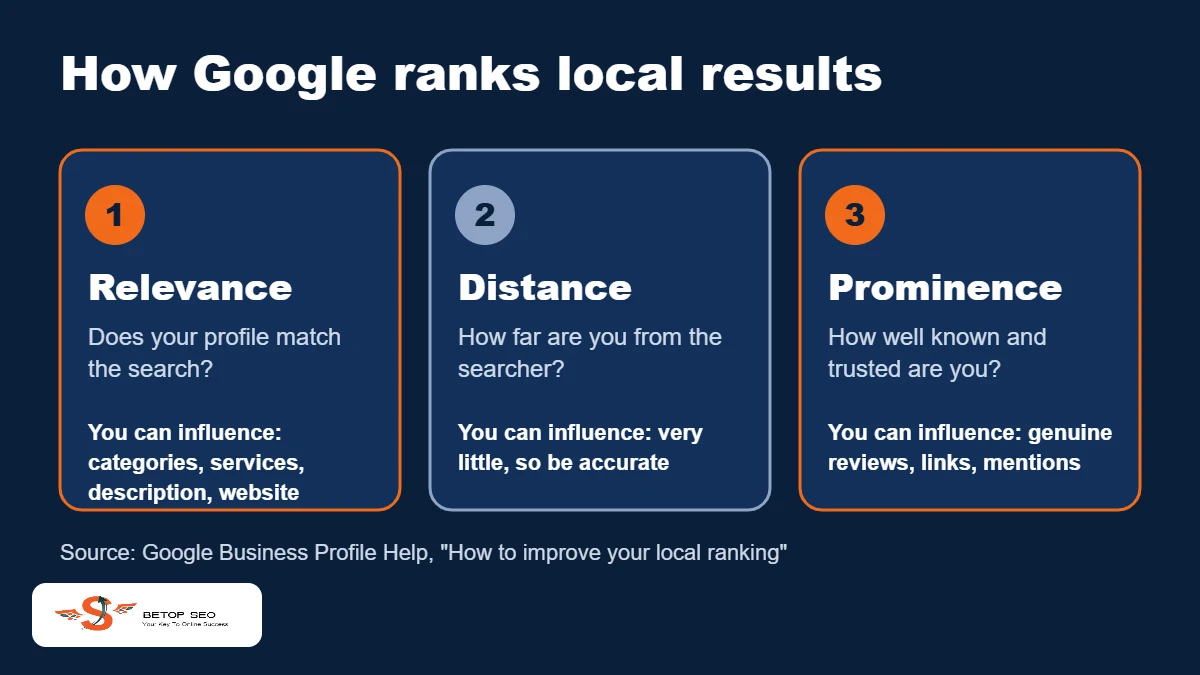
Google says local results are mainly based on three factors: relevance, distance and prominence.
| Factor | What Google means | What you can influence | Leeds example |
|---|---|---|---|
| Relevance | How well your profile matches what someone searches for | Complete, accurate details: categories, services, description, website content | A Kirkstall electrician who lists the right category and describes the work they actually do |
| Distance | How far you are from the searcher, using their shared or known location | Very little, apart from being accurate about where you are and where you serve | A café in Headingley is closer to someone standing in Headingley than one in Morley |
| Prominence | How well known you are, shaped by links, articles, directories, review count and review score | Genuine reviews, a strong website, accurate listings and real mentions | A long-established Pudsey bakery with many reviews and local press mentions |
Google’s UK help pages use the word “popularity” in places where other versions say prominence. It is the same idea.
Google also keeps the details of the ranking system confidential. Anyone who claims to know the exact weighting of each signal is guessing. What we do have is Google’s stated guidance, and it is consistent: be accurate, be complete, earn trust, and make sure your website supports your profile.
What this means in practice: you cannot move your business closer to customers, but you can make your profile a better match for what they are looking for and build up evidence that you are a trusted business.
Why Leeds rankings change from street to street
Because distance is one of the three factors, there is no single “your ranking”. A search for a service from Leeds City Centre can return a different set of businesses to the same search from Roundhay, Beeston or Horsforth, and results can differ again between a phone and a desktop.
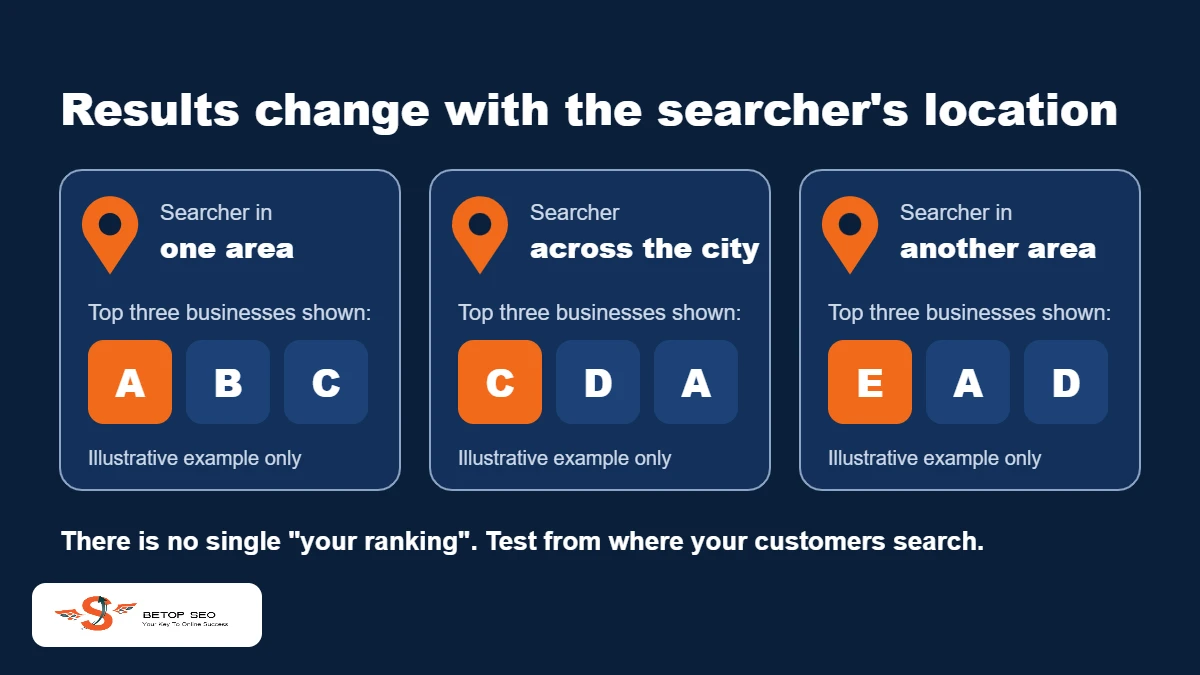
- Test from the places your customers actually search, not just from your own office or shop.
- Do not assume you can win everywhere. A business based in Chapel Allerton will often be well placed for nearby searches and less so for searches made at the other side of the city.
- Target locations you genuinely serve. Naming extra Leeds neighbourhoods in your profile or website does not automatically improve your ranking there, and listing places you do not serve can mislead customers and break Google’s guidelines.
If you serve several parts of Leeds from one base, the useful question is not “how do I rank everywhere?” but “which searches matter most to my customers, and is my business a strong match for them?”
Google Maps SEO vs traditional SEO
Maps SEO centres on your Business Profile and works on relevance, distance and prominence. Traditional SEO centres on your website pages and the standard blue-link results. The searcher’s location matters far more for Maps. Your website still matters for Maps, though: Google says it also uses how well a business’s website performs in search as part of the picture, so the two work best together.
Check you are eligible before you optimise anything
Optimising a profile that breaks Google’s rules is wasted effort. Check these first.
1. Decide whether you are a shopfront, service-area or hybrid business. A shopfront business serves customers at its address and should show that address, with permanent signage there. A service-area business (a plumber, cleaner or mobile mechanic, for example) travels to customers and should hide its address if customers do not visit. A hybrid business does both, and can show its address and a service area.
2. Know the service-area limits. Google allows up to 20 service areas, defined by city, postcode or other areas, rather than a radius. It also advises keeping the whole area within roughly two hours’ driving time of your base. Be specific and only list areas you genuinely serve.
3. Use a real address. PO boxes and mailboxes are not acceptable. A rented virtual office where you do not operate is not eligible, and a co-working space qualifies only if it has clear signage, receives customers in opening hours and is staffed by your own employees.
4. One profile per business location. Duplicate profiles are against Google’s guidelines. If you inherited an old listing, claim it rather than creating a new one.
5. Verify your profile. Google says verification shows you are authorised to represent the business and makes it more likely to appear in results. Postcard verification can take up to two weeks, so allow for that.
How to optimise a Google Business Profile
Work through these in order. They are listed roughly from highest to lowest importance.
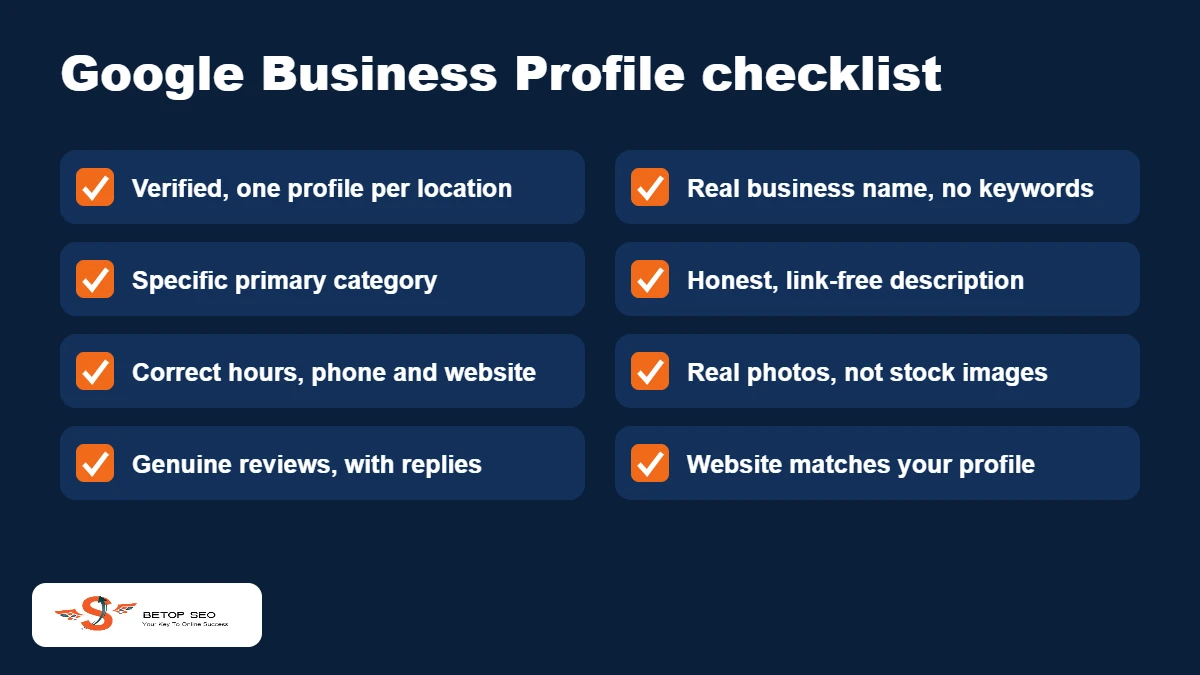
1. Use your real business name
Use the name customers already know, as shown on your signage, website and stationery. Google’s guidance excludes taglines, services, location details, phone numbers, URLs and opening hours from the name. It also advises against adding legal suffixes such as “Ltd” unless you can show they form part of the real-world name.
Adding “Best Leeds Plumber” or similar to your name is not optimisation. It is a guideline breach that can lead to edits or suspension.
2. Choose your categories carefully
- Primary category: the most specific category that describes your core business. Google says it is the main factor in how you appear in searches. Choose “nail salon” rather than “beauty salon” if that is what you are.
- Additional categories: add a few that genuinely describe other services you provide. Do not add one for every product, and do not use categories as keywords.
- Check regularly. Categories influence local ranking and unlock features, such as booking buttons or menu links for some business types. Changing a category may require you to verify again.
3. Write an honest description
Describe what you do, who you serve and where, in plain language. Google’s rules say descriptions should not include links, promotions, prices or sales messages, and should not be gimmicky or full of spelling mistakes.
A good description answers three questions: what do you do, for whom, and what makes you a sensible choice? Mention Leeds or the specific areas you serve where it is natural and true, without a list of every postcode.
4. Complete your business information
Accuracy matters more than volume. Check your address and service areas, opening hours (including bank holidays), a phone number and website link you control and monitor, relevant attributes such as parking or accessibility, and your services and products with clear names and short descriptions. Google says businesses with complete and accurate information are more likely to appear in local results. Edits can take up to three days to show.
5. Add real photos and videos
Show your shopfront (it helps people find you), your work, your team and your premises. Google’s photo guidance includes:
- JPG or PNG files between 10 KB and 5 MB
- A recommended size of 720 × 720 pixels (250 × 250 minimum)
- Photos that are in focus, well lit and not heavily edited
- Videos up to 30 seconds, up to 75 MB, at 720p or higher
Use your own photos. Stock images mislead customers and add nothing.
6. Use posts for useful updates
Google describes three post types: updates, offers and events. Posts older than six months are archived unless you set a date range.
Posts help customers see that you are active and give them a reason to act. Google’s help page does not say that posts affect ranking, so treat them as customer communication rather than a ranking tactic. Good topics include a recently completed project, seasonal opening hours, a new service, or an upcoming event. Once a month is a sensible, sustainable rhythm for most small businesses. Do not post for the sake of it.
Reviews: how to earn them properly
Google says review count and review score factor into local ranking, and reviews also help customers decide whether to contact you. That makes them one of the most valuable parts of your profile, and one of the easiest to get wrong.
How to ask for reviews the right way
- Ask every happy customer, ideally soon after the job or visit.
- Send your Google review link or a QR code. Both can be created from your Business Profile.
- Tell people a Google account is required. It does not have to be a Gmail address.
- Keep it simple. A text or email after completion works better than a long conversation.
A short message you can adapt: “Thanks for choosing us. If you were happy with the work, a short Google review would help other customers in Leeds find us. Here is the link.”
What you must not do
- Offer discounts, gifts or payment in return for reviews, or for changing or removing them. Google treats this as fake engagement.
- Ask only happy customers and discourage unhappy ones. This is often called review gating and conflicts with the principle that reviews should reflect real experiences.
- Write or buy fake reviews, or have staff or relatives post them.
Violations can lead to review removal and restrictions on your profile.
Replying to reviews
Google advises replies that are polite, professional and brief. You do not need to thank every reviewer, but you should reply when you have something useful to add.
For negative reviews, Google’s advice is practical: reply promptly, do not attack the reviewer, protect their privacy, check your records, admit genuine mistakes, apologise where appropriate and sign off with your name. You can invite the reviewer to contact you privately. Do not offer deals in your reply. If a review breaks Google’s content policies, you can flag it. A review you simply dislike does not qualify.
How your website supports your Google Maps ranking
Google has said that how well your website shows up in search also matters. A strong website is part of the prominence picture, and it is where customers go after seeing your profile. Make sure your website:
- Matches your profile. Same business name, address and phone number, in the same format.
- Has a clear page for each real service. A profile saying “boiler repair” should link to a page that actually covers boiler repair.
- Is linked from your profile to the right page: your homepage for a single-location business, or the relevant location page if you have several genuine locations.
- Works well on mobile, since many people will find you on their phones.
- Makes it easy to call or enquire. Phone number, form and opening hours should be easy to find.
- Shows evidence. Real photos, project examples, accreditations you genuinely hold, and customer reviews.
If you want to go further, our guide to technical SEO services for UK businesses explains the technical side. For a worked example of local SEO in one trade, see our guide to SEO for double glazing companies.
Citations and mentions
A “citation” is any online mention of your business name, address and phone number, such as a directory listing. Google says prominence draws on information from across the web, including links, articles and directories.
What helps: accurate, consistent listings on the sites your customers actually use; genuine mentions and links, for example from suppliers, trade bodies, local press, sponsorships or partner businesses; and fixing wrong information, such as an old address or a closed duplicate listing.
What does not help: mass-submitting your details to hundreds of low-quality directories, buying links or listings, and leaving inconsistent details that confuse customers and search engines. Quality and accuracy matter far more than quantity.
Legitimate optimisation vs Google Maps spam
Maps spam gets profiles removed, so it is worth knowing where the line is.
| Legitimate optimisation | Maps spam (avoid) |
|---|---|
| Using your real business name | Adding keywords or “Leeds” to your name |
| One accurate profile per location | Creating duplicate or fake profiles |
| Your real, staffed address | Virtual offices, mailboxes or fake locations to appear closer |
| Listing areas you genuinely serve | Listing places you do not serve |
| Asking genuine customers for reviews | Fake, bought or incentivised reviews, or review gating |
| Specific, accurate categories | Stuffing categories to look relevant for everything |
| Useful, unique location pages | Near-identical “doorway” pages for every Leeds postcode |
| Consistent, accurate listings | Mass directory submissions and bought links |
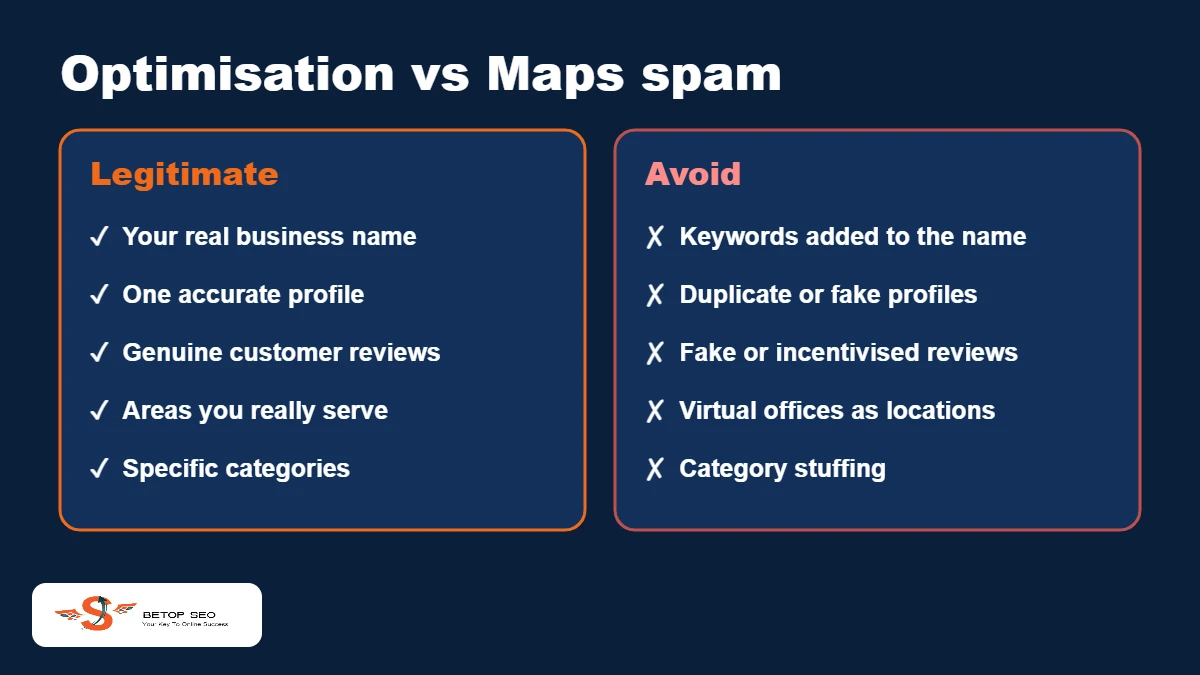
If a tactic only works by misleading Google or customers, it is not optimisation. It is a risk to your business.
How to measure Google Maps SEO
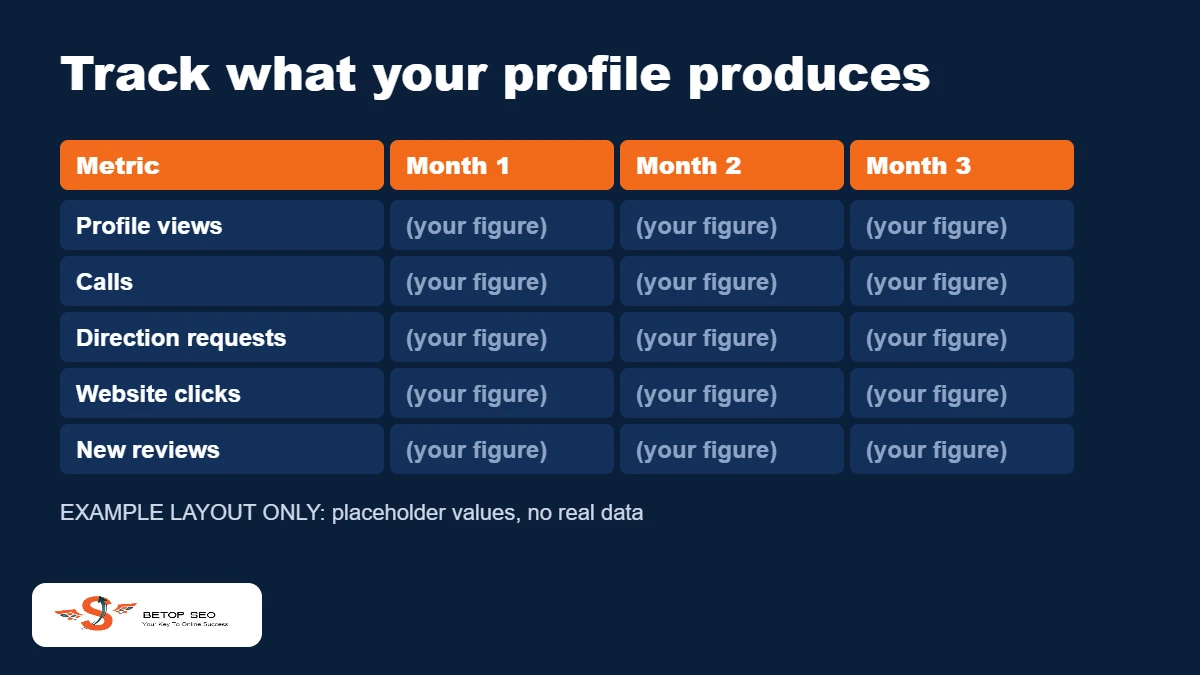
Rankings are a poor measure on their own, because they change with the searcher’s location. Measure what the profile produces.
In your Business Profile performance report, Google shows metrics such as how many people viewed your profile on Search and Maps, how many asked for directions, and other interactions like calls, messages and website clicks. Not every metric applies to every business.
On your website, check traffic from your profile (use a tagged link so you can see it in Google Analytics 4), plus form submissions and phone-number clicks.
In your business, ask new customers how they found you and record the answer. This catches calls that tracking misses.
Each month, record views, calls, direction requests, website clicks and new reviews, and search for your main services from two or three real customer locations in Leeds. Rank-tracking tools that test positions from multiple points on a map can add context, but use them as indicators, not as proof.
How long does Google Maps SEO take?
There is no fixed timescale, and no one can honestly guarantee a position.
Google’s own help says rankings for new businesses can take up to a month to appear, and that edits to business information can take up to three days to update. Beyond that, results depend on your competition, your category, the area, your reviews, your website and how consistently you keep working on all of them.
Some fixes, such as correcting a category or adding missing information, can make a difference quickly. Building review volume and authority takes longer. A sensible expectation is steady improvement over several months, not a switch you flick.
A practical Google Maps SEO checklist for Leeds businesses
Eligibility
- ☐ I have one profile per location, and it is verified
- ☐ My address is real and staffed, or hidden if I do not serve customers there
- ☐ My service areas are specific and genuine
Profile
- ☐ My business name matches my signage, with no keywords added
- ☐ My primary category is specific and my extra categories are few and accurate
- ☐ My description is honest, link-free and free of promotions
- ☐ Opening hours, phone number, website and attributes are correct
- ☐ Services and products are listed clearly
Content
- ☐ I have uploaded recent, real photos
- ☐ I post useful updates when I have something worth saying
Reviews
- ☐ I ask every happy customer, using my review link or QR code
- ☐ I never offer incentives or filter who I ask
- ☐ I reply to reviews politely and promptly
Website and web presence
- ☐ My website details match my profile exactly
- ☐ Each real service has a useful page
- ☐ My listings elsewhere are accurate and consistent
Tracking
- ☐ I review profile performance monthly
- ☐ I track calls, forms and “how did you hear about us” answers
Should you do this yourself or hire help?
Most of the steps above are free and within reach of a motivated owner. The hard part is consistency. If you have several locations, a competitive category or little time, look for help from someone who explains their approach, follows Google’s guidelines, reports on calls and enquiries, and does not promise a position. Our guide to SEO costs in the UK explains what influences pricing.
BeTopSEO is an India-based digital marketing agency providing SEO and digital marketing services to businesses in the UK. We work remotely with clients through online meetings, digital communication and reporting. You can see what we offer on our UK SEO services page.
Frequently asked questions
How do I rank higher on Google Maps in Leeds?
Start with a verified, accurate Google Business Profile, a specific primary category and complete business details. Add real photos, earn genuine reviews and reply to them. Make sure your website matches your profile. Google ranks local results on relevance, distance and prominence, so you can improve the first and last.
How long does Google Maps SEO take?
There is no fixed timescale. Google says rankings for new businesses can take up to a month to appear, and edits can take up to three days to update. Meaningful progress usually takes longer and depends on competition, reviews, your website and location. Be wary of anyone promising a specific position or deadline.
Do Google reviews affect Google Maps rankings?
Yes. Google says review count and review score are factors in local ranking. Reviews also influence whether customers choose you. Earn them honestly by asking real customers and replying to every review, and never offer incentives, post fake reviews or discourage unhappy customers from reviewing.
Can I pay Google to rank higher on Google Maps?
No. Google states that you cannot ask or pay for a better local ranking. You can run Google Ads separately, and ads are labelled as ads, but they do not change your organic Maps ranking. Anyone claiming they can buy you a top Maps position is misleading you.
Why does my Leeds business rank differently in different areas?
Distance is one of Google’s three ranking factors, so results change with the searcher’s location. A search made in Headingley can show different businesses from the same search in Horsforth. Test from the areas your customers actually search in, rather than relying on one ranking.
How many Google Business Profile categories should I use?
Use as few as you can. Google recommends one specific primary category that describes your core business, plus a few additional categories for services you genuinely offer. Do not add categories as keywords or for every product, and check regularly because categories affect ranking and available features.
Can I rank in Leeds areas where I have no address?
Possibly, but nothing is guaranteed. Service-area businesses can list up to 20 areas, but Google ranks partly on distance, so being far from a searcher usually counts against you. List only areas you genuinely serve, and do not use fake locations or virtual offices to appear closer.
Do Google Business Profile posts help rankings?
Google’s help page for posts does not say they affect ranking. They do appear on Search and Maps and can help customers decide to contact you. Use them for genuine updates, offers or events, not as a ranking tactic. Posts older than six months are archived unless you set dates.
Ready to improve your Google Maps visibility?
If you run a Leeds business and want to improve your local visibility, we’re happy to talk. BeTopSEO can discuss your Google Maps goals, your Business Profile, your website and the local competition, and explain what is realistic, with no pressure and no ranking promises.